Shop Creator
Stores, stock, staff and sales reports.
Create shops. Run the business.
Actual shop interfaces, shown with example store data.
Business overview
Owners see revenue, balance, average basket value, low-stock warnings, top products, and recent activity together.
Shop creation and management
In-game shop creator
Create, position, duplicate, archive, restore, and update complete shops from the administrator interface.
Flexible ownership
Let the server, an individual player, a job, or a gang own a shop, then choose what each team member can manage.
Catalog and stock control
Manage categories, products, images, visibility, finite or unlimited stock, deposits, and withdrawals.
Player-friendly checkout
Let players pay with cash or bank, use available discounts and loyalty rewards, and receive clear purchase receipts.
Promotions and loyalty
Configure coupons, schedules, usage limits, loyalty earning, redemption minimums, and per-order caps.
Business operations
Review balances, payouts, transactions, append-only ledgers, customer history, and seven-day analytics.
Watch shop creation and management
Try the shop interfaces
Browse the real in-game menu with safe demo data. Move between the storefront, business tools, store editor, and administrator console.
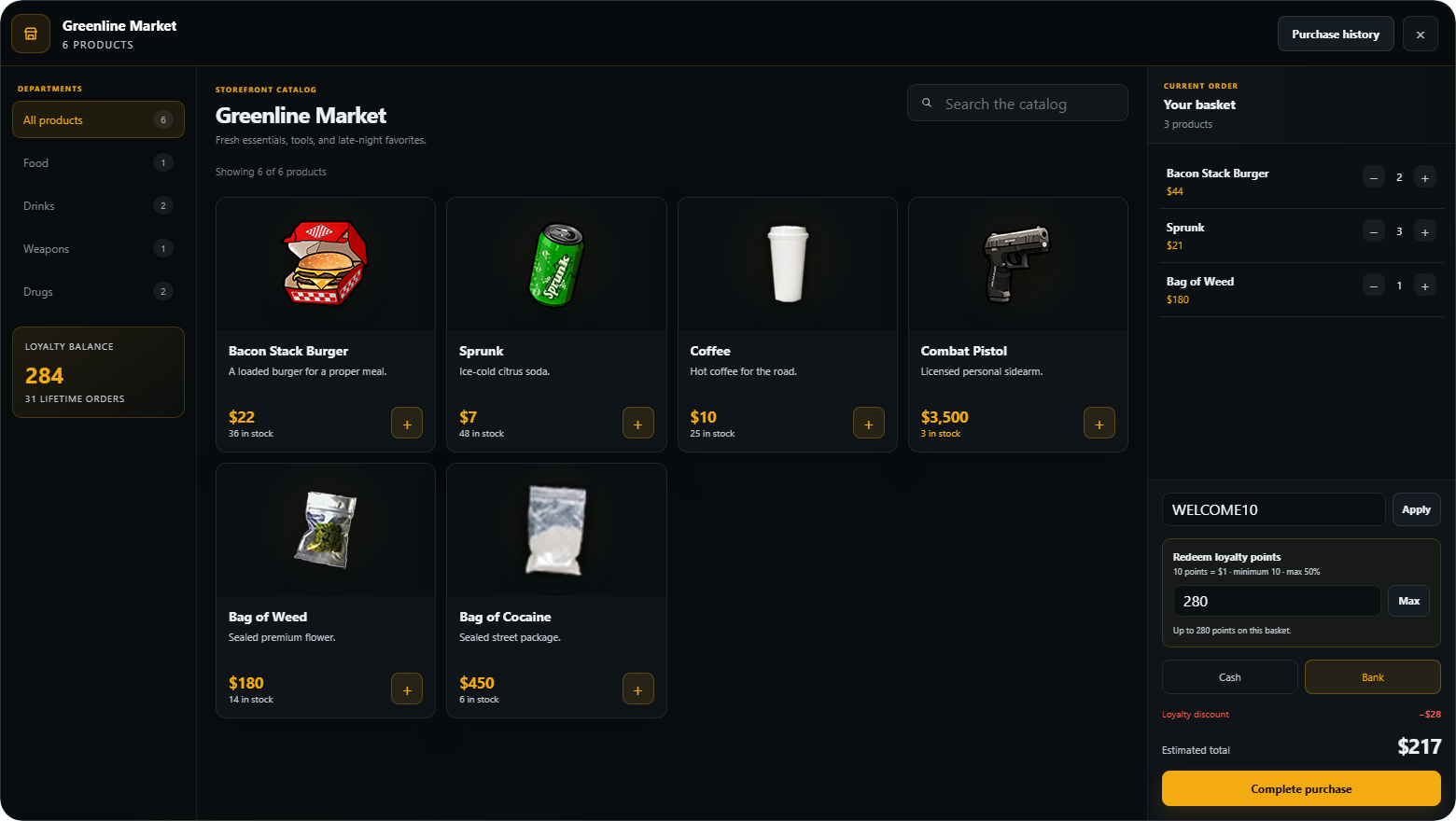
Demo actions stay in this browser preview. They do not connect to a game server, account, database, money, or inventory.
Before you install
- Brick Bridge, ox_lib, oxmysql, and OneSync.
- A supported inventory provider. Target and notification integrations are optional.
- Database tables are created automatically on startup.
Included with your purchase
Ready-to-install resource
Install the same Brick Shops Creator package on any supported framework. No separate framework edition is required.
Customer configuration
Choose your shop defaults, interactions, payment methods, loyalty settings, administrator access, and logging options.
Automatic database setup
Required database tables are created automatically when the resource starts. Manual SQL import is optional.
Setup documentation
Follow dedicated installation, startup-order, configuration, and first-shop guidance from the Brick Scripts documentation.
Editable files and configuration
Configuration, server settings, and locales are editable. Runtime files use Cfx Asset Escrow.